Skip to content

Changelog

What each release of Nodo brings, from the latest back to the first.

It updates itself

No need to uninstall or download it again: your hosts, keys and settings stay as they are.

  1. It checks

    When it opens and every six hours, Nodo asks whether there is a new release.

  2. It downloads and verifies

    In the background. Before installing anything it checks Nodo’s signature: a tampered package is rejected.

  3. It tells you

    A notice in the sidebar says the new release is ready. It installs when you click Restart, never in the middle of your work.

On macOS and with the AppImage the app is replaced; on Windows the installer runs without questions; with the .deb and .rpm packages, Linux asks for your administrator password.

  1. 0.5.0

    Current release

    Teamwork and security keys

    Share servers with your team with no server in between, sign with a YubiKey, and connect over Mosh, Telnet or serial too.
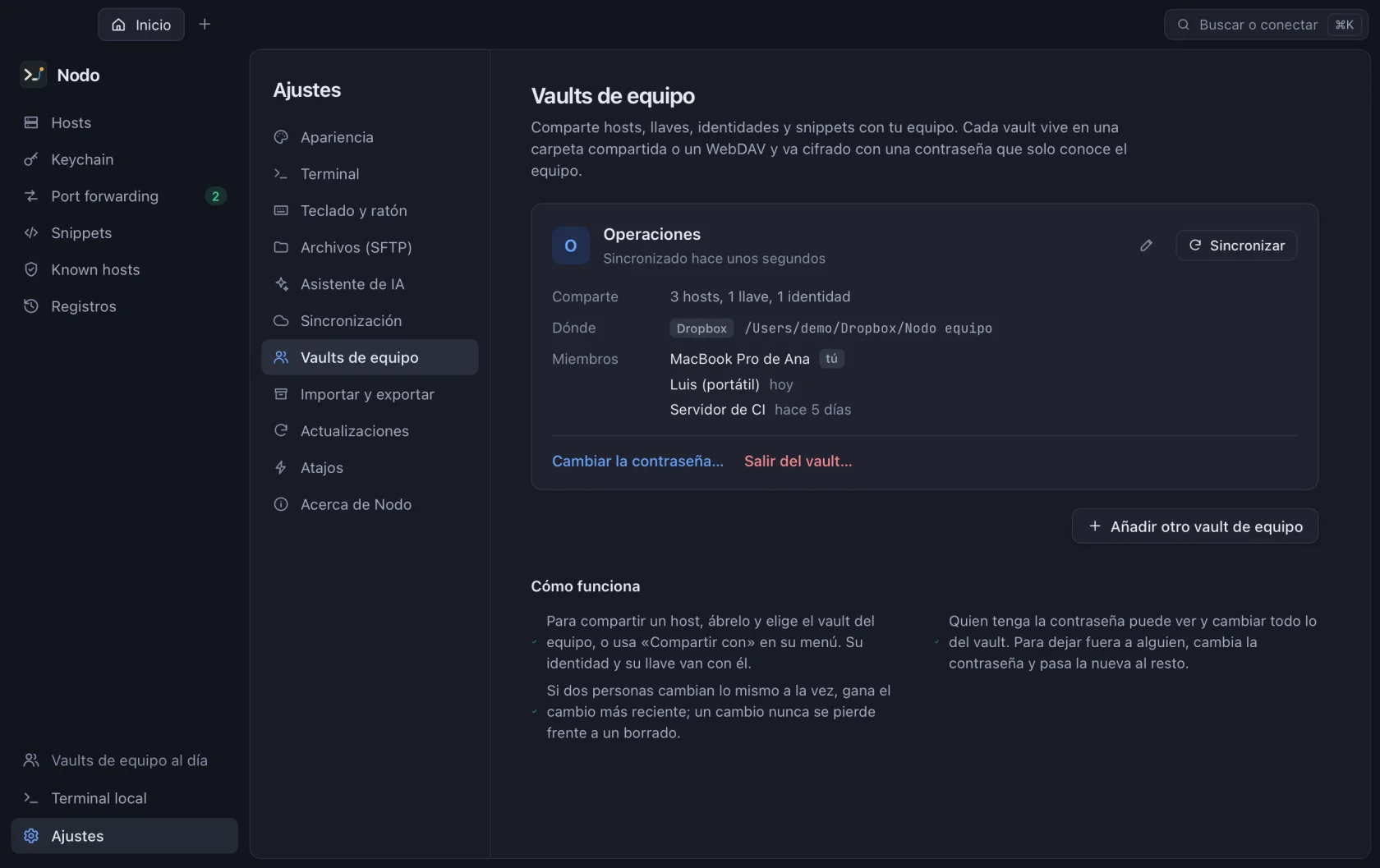
    Nodo team vault with three shared hosts, its Dropbox folder and its members
    • New

      Team vaults

      Share hosts, keys, identities and snippets from a shared Dropbox, Google Drive, OneDrive or Nextcloud folder, or from WebDAV. It is encrypted with a password only the team knows, and every host arrives with its key or password, its tunnels and an already verified fingerprint.

    • New

      Mosh, Telnet and serial

      Mosh keeps your session alive when you switch networks (it needs mosh-server on the server and the Mosh client on your machine). Telnet and serial are for routers, switches and boards, with speed, parity and BREAK.

    • New

      FIDO2 security keys

      Create your SSH keys on a YubiKey or another FIDO2 key: when you connect, Nodo asks you to touch it and, if you created it that way, for the PIN. On Windows they work through OpenSSH’s ssh-agent.

    • New

      Encrypted session logs

      If you turn them on, what each session shows is stored encrypted on your machine, with search and plain-text export.

    • Improved

      Terminal autocomplete

      Suggestions from your history on each server and your snippets; the right arrow accepts them.

    • Improved

      Editable shortcuts

      Change any keyboard shortcut; Nodo warns you if it clashes with another one or with the shell.

    • Fixed

      Starting after using an older release

      Nodo no longer fails to open after an older release opened your data: it repairs them at startup.
  2. 0.4.0

    Your data on every computer

    Encrypted sync with no accounts, themes from the terminal itself and the AI models you already have on your machine.

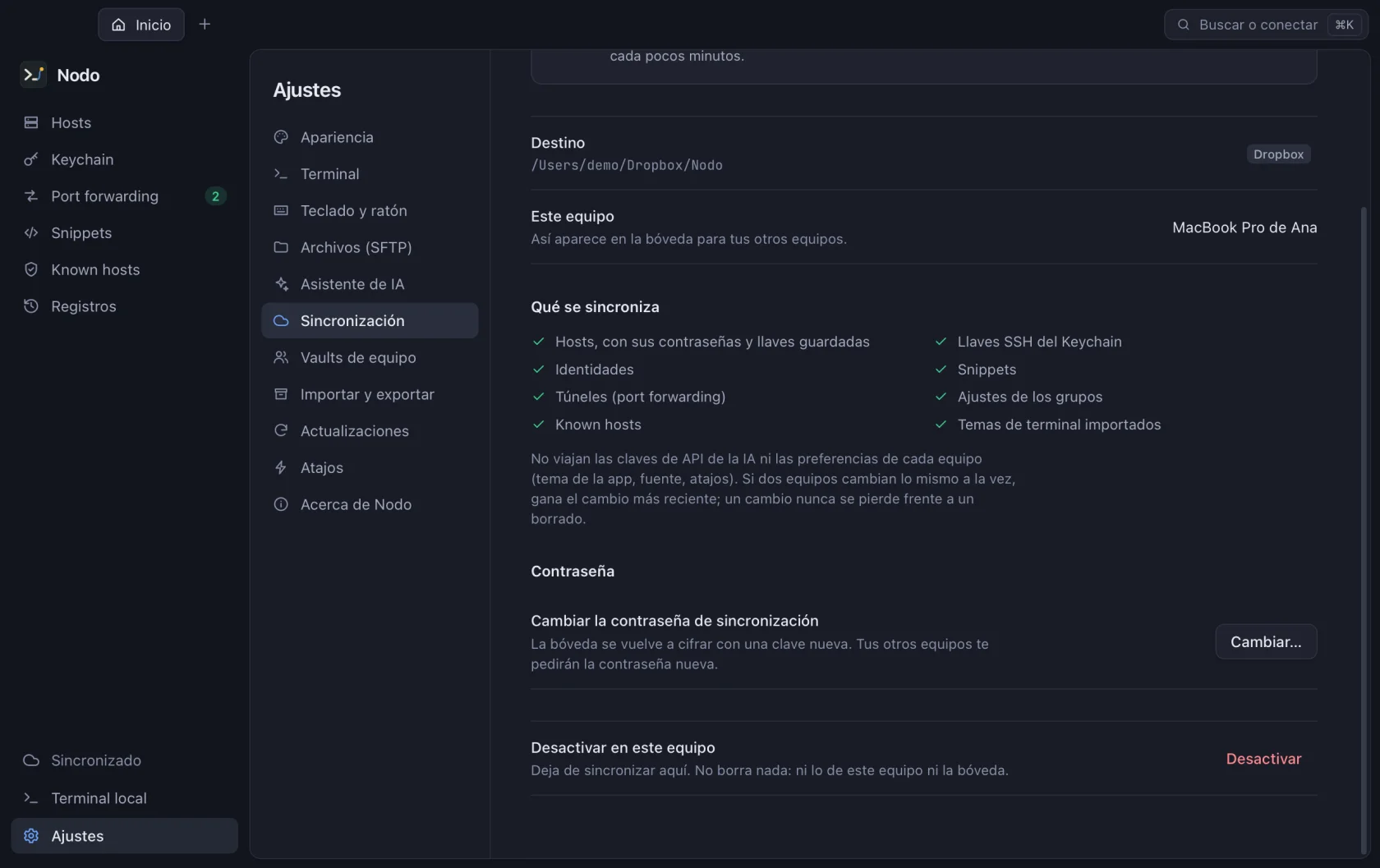
    Nodo sync settings, synced with a Dropbox folder
    • New

      Encrypted sync

      Hosts, keys, identities and snippets on every computer, encrypted with a password only you know, in your iCloud Drive, Dropbox, OneDrive or Google Drive folder or on your WebDAV server. No accounts and no Nodo servers.

    • New

      Themes from the terminal

      Theme, font and size with a live preview on hover. 63 built-in themes; import your own from iTerm2, Windows Terminal, VS Code, Alacritty, Ghostty or kitty and give each server its own.

    • New

      AI with local models

      LM Studio, Bionic, Jan, llama.cpp or vLLM: Nodo finds them and, if LM Studio is off, starts it.

    • Improved

      Your local shell

      Pick zsh, bash, fish, PowerShell, cmd, WSL or Git Bash for the local terminal.

    • Improved

      Your ~/.ssh on first launch

      The first time, Nodo offers to bring your hosts, your keys and your known_hosts.

    • Improved

      Tabs and undo

      Nodo reopens last time’s tabs, and deleting a host or a snippet can be undone.

    • Improved

      Output and fonts

      Save a terminal’s output to a text file and use any installed font, Nerd Fonts included.

  3. 0.3.0

    On every platform, with an AI assistant

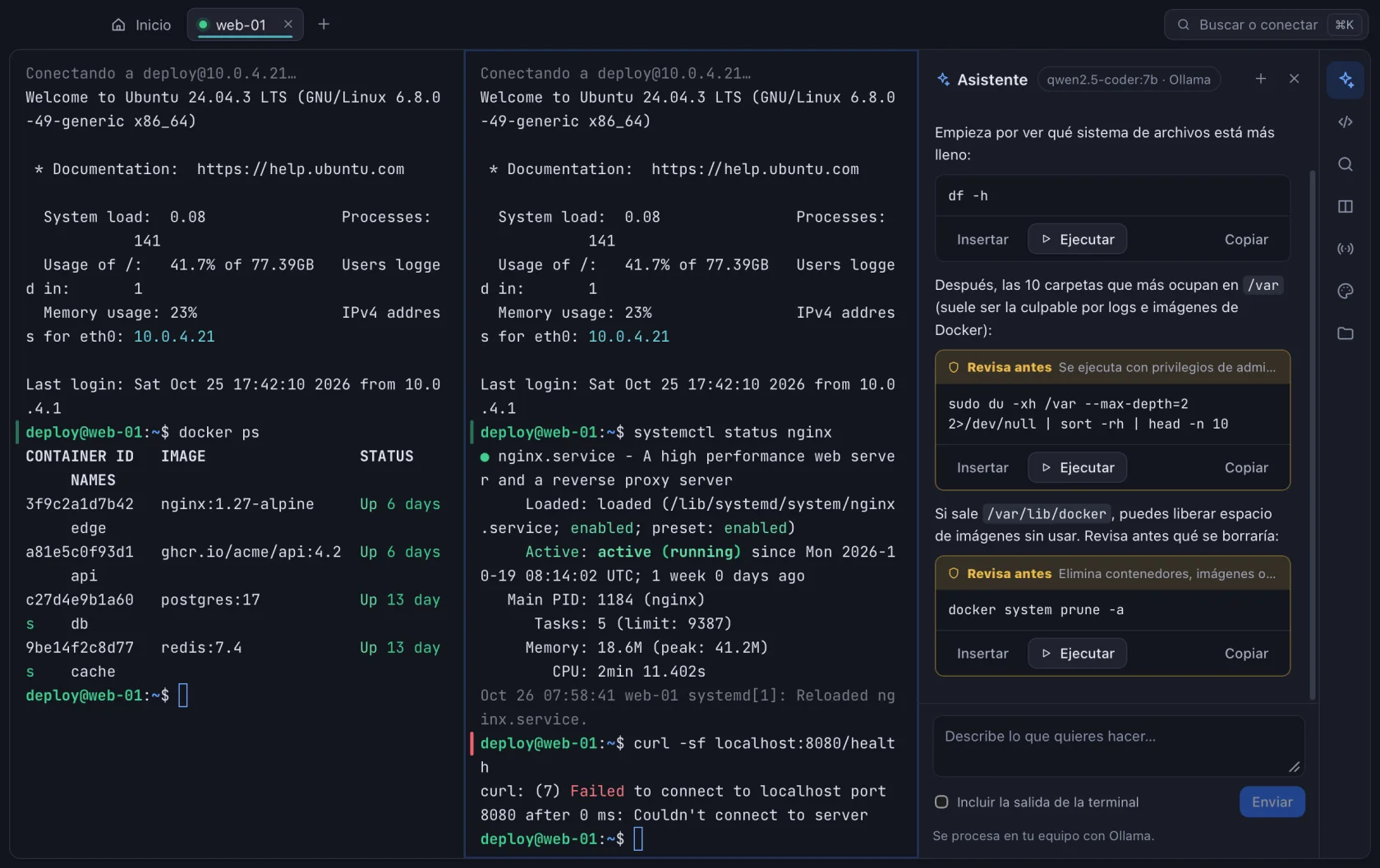
    It reaches Windows and Linux ARM64, with an assistant that explains errors and with tunnels, jump hosts and SFTP for everyday work.

    Nodo AI assistant next to the terminal, suggesting commands to check disk usage
    • New

      Windows, Linux ARM64 and universal Mac

      Installers for Windows and Linux ARM64; on macOS, a single one for Apple Silicon and Intel.

    • New

      AI assistant

      With your own Anthropic or OpenAI key, or with Ollama on your machine: it explains errors and suggests commands it never runs without your confirmation.

    • New

      Jump hosts and tunnels

      Jump hosts (ProxyJump), remote tunnels and SOCKS proxy, agent forwarding, environment variables and a startup command per host.

    • New

      Connections that explain themselves

      Two-factor, automatic reconnection and a panel that explains why a connection fails and what to check.

    • New

      Identities, groups and tags

      Reusable identities, group settings their hosts inherit and tags to filter by.

    • New

      Shell integration

      Every command is marked with its result, ⌘↑ and ⌘↓ jump between them and Nodo tells you when a long one finishes.

    • Improved

      SFTP

      A queue with speed and time left, conflicts file by file, permissions and editing remote files in your own editor.

    • Improved

      Snippets and import

      Snippets with variables, run on several hosts at once. Import and export CSV, ~/.ssh/config and backups.

  4. 0.2.0

    Automatic updates and a new interface

    From this release on, Nodo updates itself.

    • New

      Automatic updates

      Nodo checks for new releases when it opens and every six hours, downloads them in the background, verifies their signature and restarts only when you ask.

    • New

      App themes

      Dark, light or the system’s, with six accents; the terminal can follow the app theme.

    • Improved

      New interface

      Tabs in the macOS title bar, a sidebar, layered surfaces and each system’s logo on its hosts.

    • Improved

      Settings by category

      Appearance, Terminal, Keyboard, Updates, Shortcuts and About.

    If you have 0.1.0, install 0.2.0 by hand once: 0.1.0 didn’t have the updater yet.

  5. 0.1.0

    The first release

    A complete SSH client from day one, with secrets in the system keychain.

    • New

      Hosts and terminal

      Color-coded host groups, SSH and local terminals in tabs, split panes, typing into all of them at once and search.

    • New

      Two-pane SFTP

      List, upload, download, rename and delete, with drag and drop.

    • New

      Keys and tunnels

      Generate and import Ed25519, OpenSSH and PuTTY keys, install them in authorized_keys and open local tunnels.

    • New

      Secure from the start

      It checks every server’s fingerprint, keeps passwords and keys in the system keychain and uses your ssh-agent or Pageant.

    • New

      Import ~/.ssh/config

      Your OpenSSH hosts in one click.

Don’t have Nodo yet?

Download it for free, no sign-up. From then on, every new release reaches you on its own.