Skip to content
Nodo

Your servers. No account, no subscription.

Nodo is an SSH client for macOS and Linux, with Windows on the way. Hosts, terminal, SFTP, tunnels and keys in one lightweight app, and your passwords never leave your system keychain.

Version 0.2.0 · Mac (Apple Silicon) and Linux · Free · No sign-up

Theme
Accent
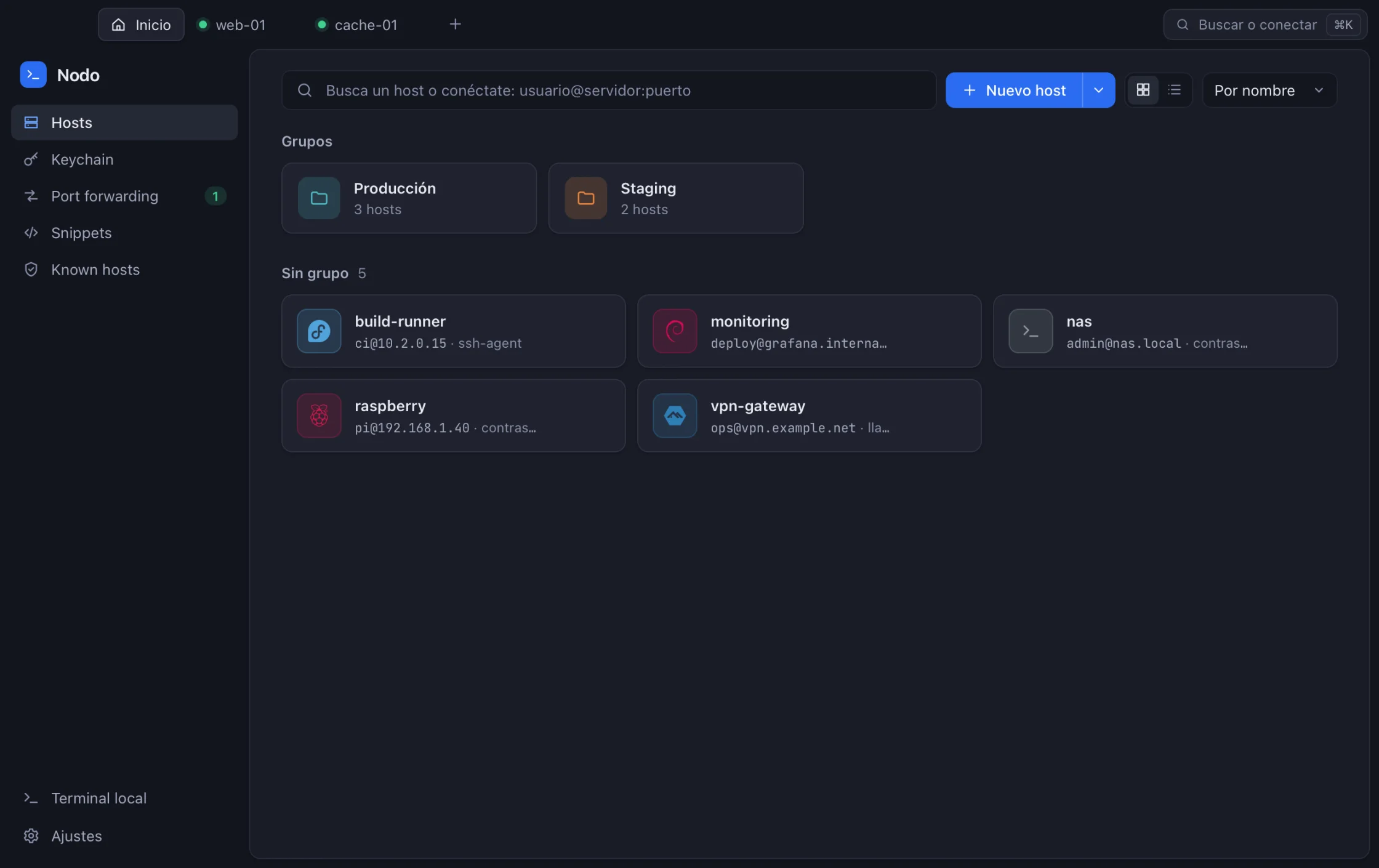
Nodo window with grouped hosts and two sessions open in tabs
A real Nodo screenshot with sample data. Switch the theme and accent the way you would in the app. The app’s interface is in Spanish for now.

Light by design.

Nodo is written in Rust and uses your system’s web engine instead of shipping a whole browser. It starts fast and barely touches your disk.

Termius 10.2.1654 MB
Nodo 0.2.022 MB
Installed app size on macOS, measured on October 26, 2026 on an Apple Silicon Mac.

Any server, in a second.

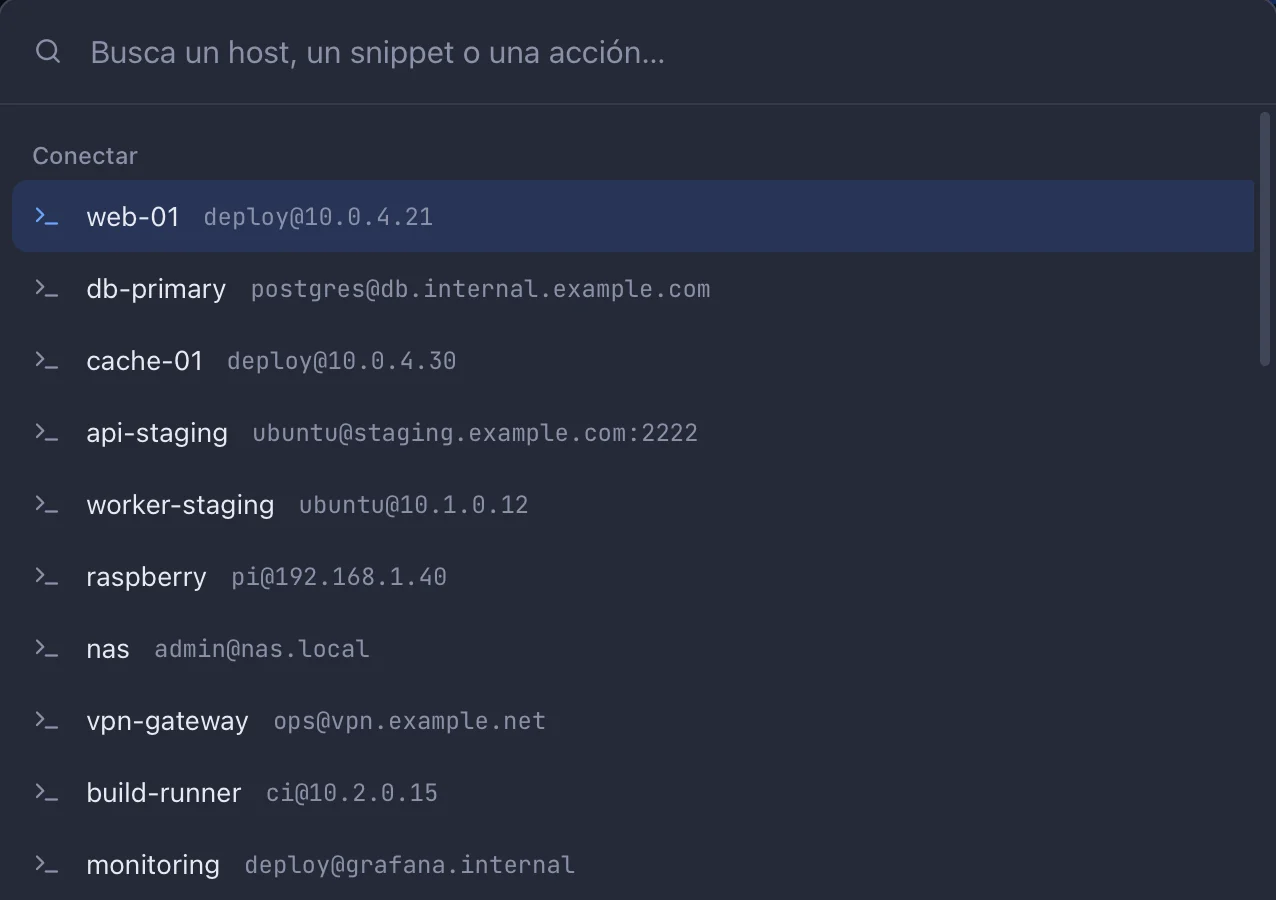
Organize hosts in color-coded groups, find them with ⌘K and connect by typing user@server, without saving anything.

  • Detects each server’s operating system when you connect
  • Imports your ~/.ssh/config in one click
  • Password, key, ssh-agent or Pageant
Nodo command palette listing hosts with web-01 selected

A terminal built for work.

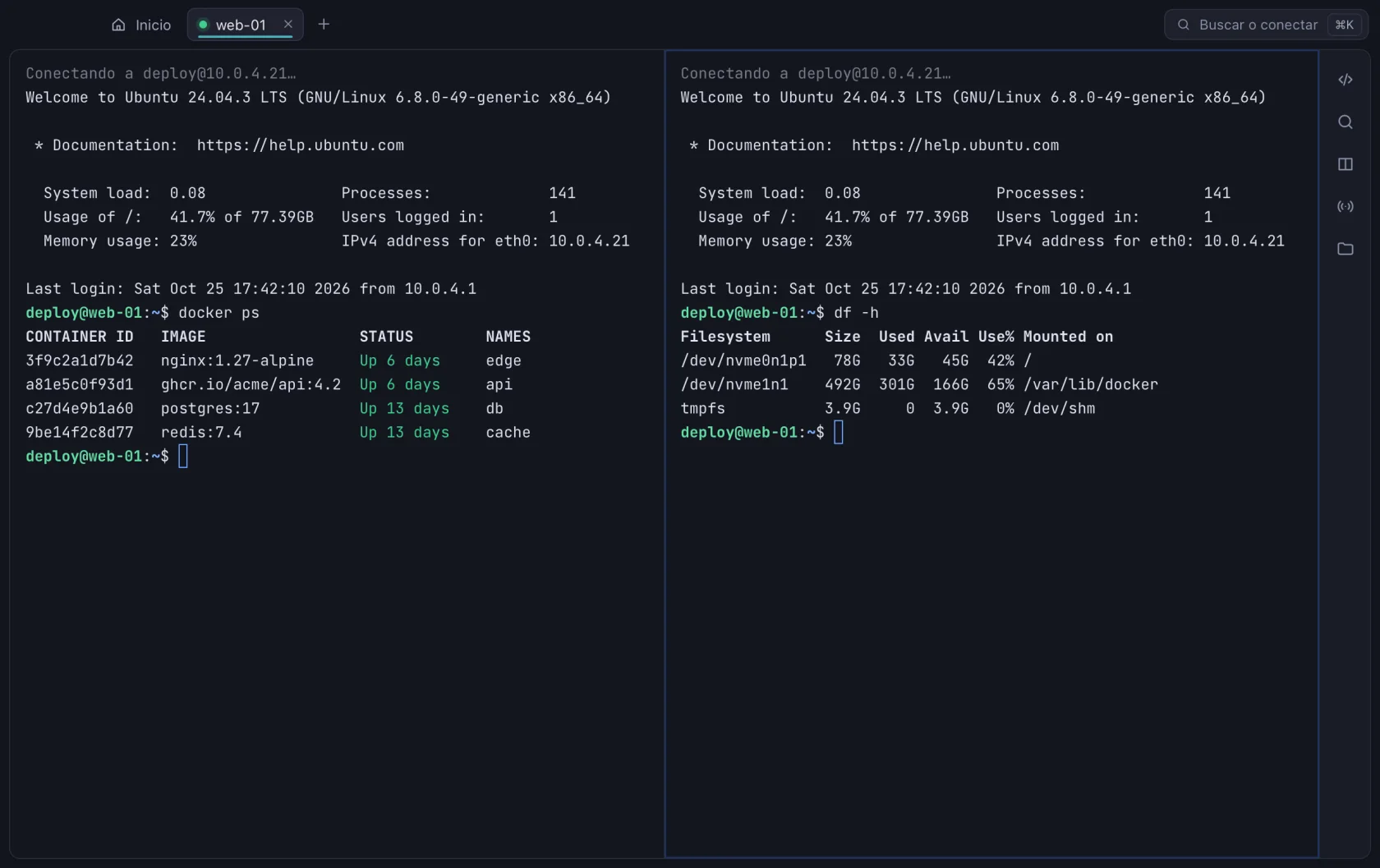
Split a tab into up to four panes, type into all of them at once and search the scrollback. GPU rendered.

  • Snippets for the commands you repeat
  • 11 themes and 5 fonts, live, without reconnecting
  • Each tab carries its group color, so you know when you are in production
Nodo terminal split into two panes running docker ps and df -h

Drag files between your machine and the server.

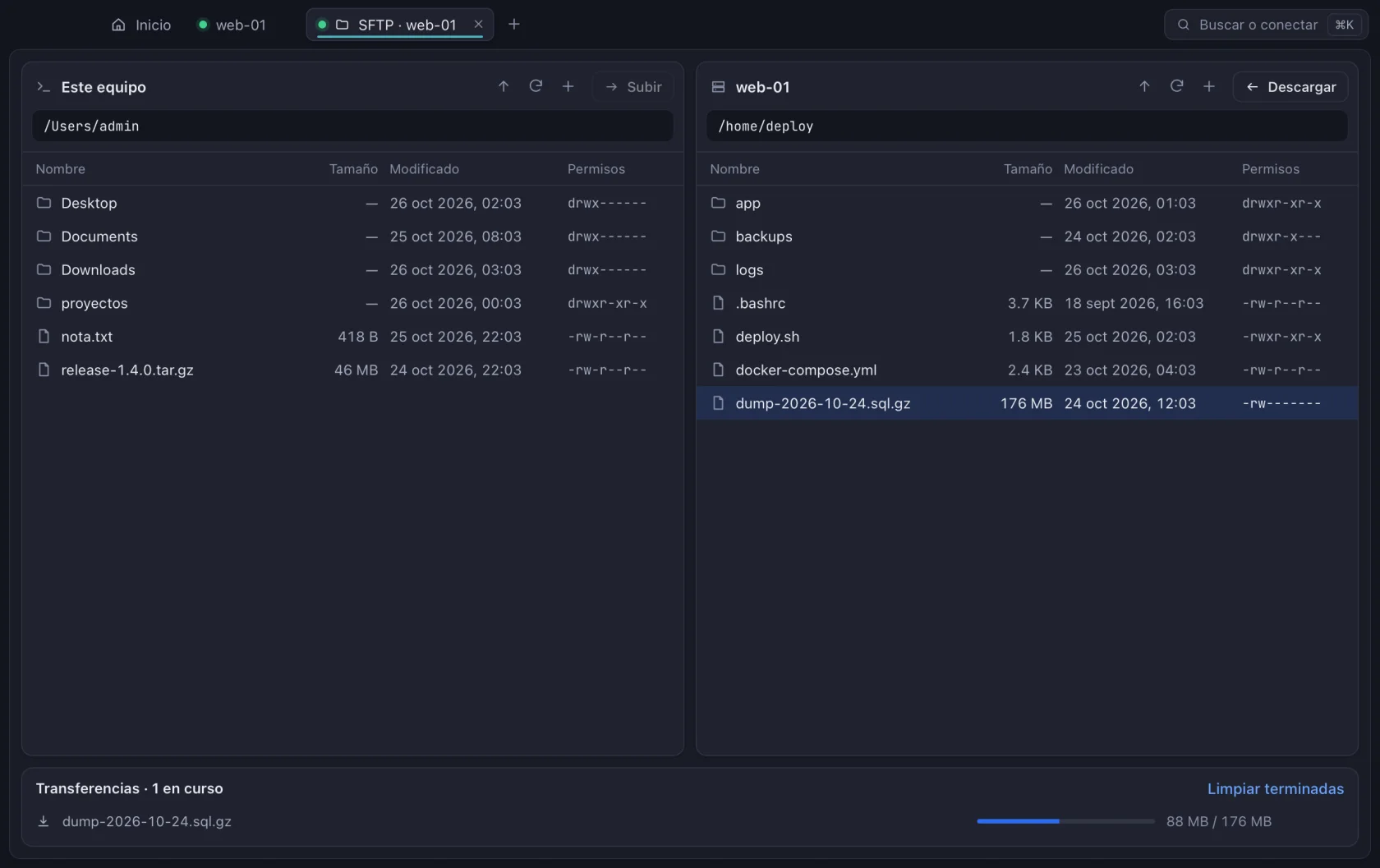
A two-pane browser: your machine on one side, the server on the other. Whole folders, live progress and a warning before overwriting.

Nodo SFTP browser with a download in progress
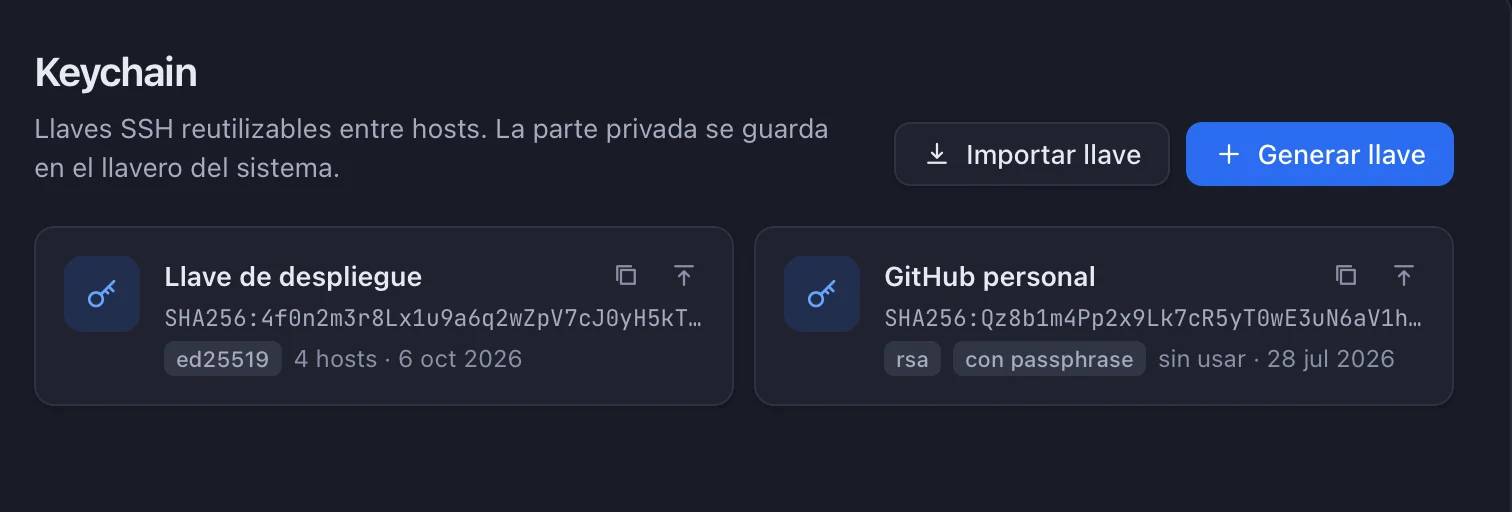
Nodo Keychain with two SSH keys

Keys you won’t lose.

Generate Ed25519 keys, import yours (OpenSSH or PuTTY) and install them on a server in one click. The private part lives in your system keychain.

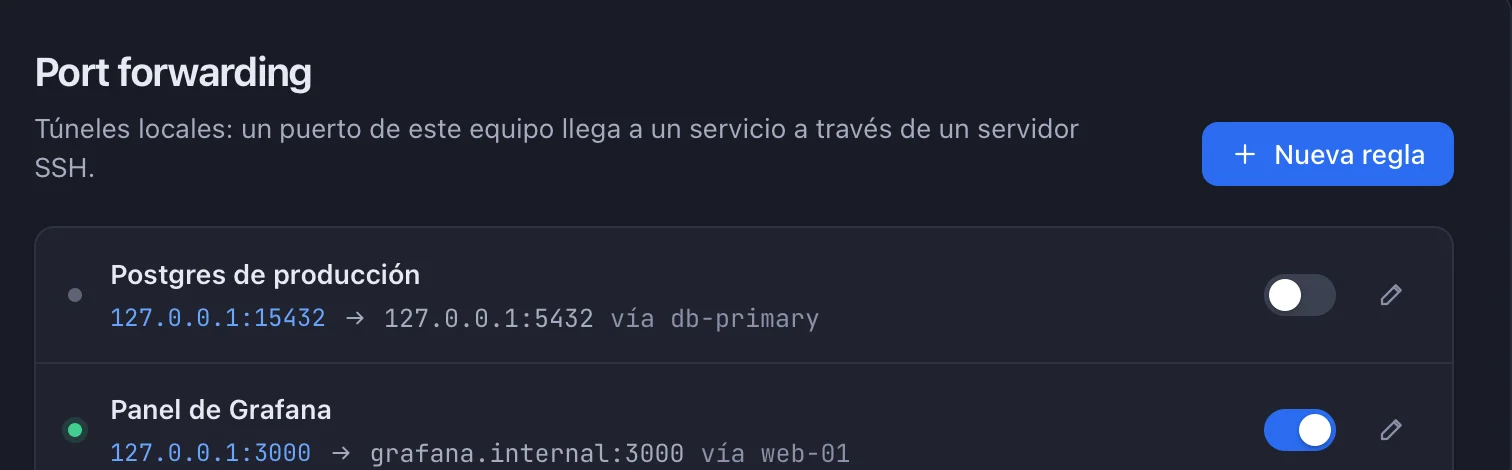
Nodo port forwarding rules with one active

Tunnels with a switch.

Save your port forwards and turn them on when you need them. Nodo tells you if a tunnel drops.

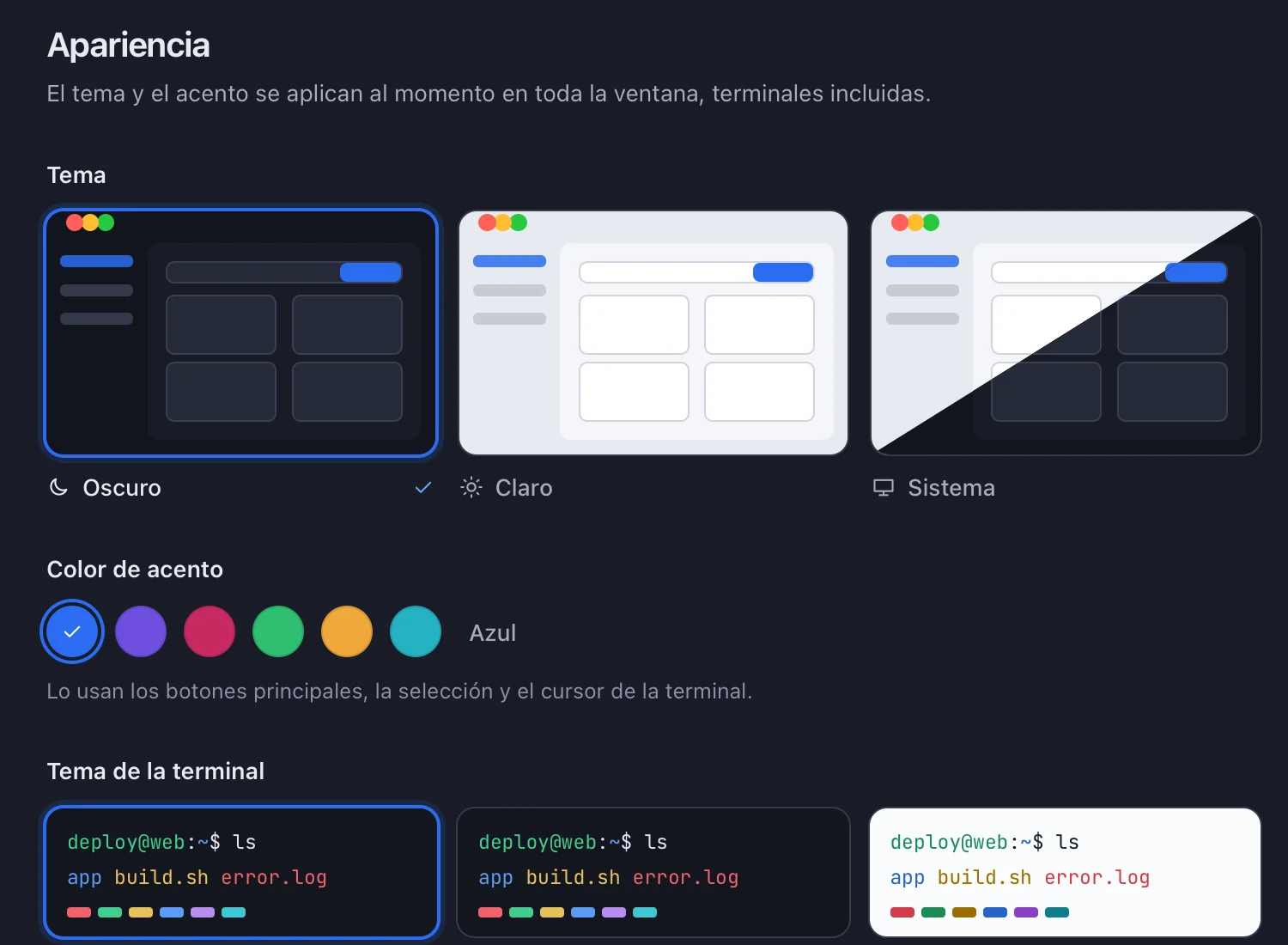
Your theme, your accent.

Light, dark or your system’s, six accent colors and eleven terminal themes. Everything changes instantly, open terminals included.

Nodo appearance settings with theme, accent and terminal themes

Your secrets stay on your machine.

Nodo has no servers that store your data. Everything lives on your computer, and anything sensitive goes to your operating system’s encrypted store.

  • System keychain

    Passwords, private keys and passphrases go to Keychain on macOS, Credential Manager on Windows and Secret Service on Linux. Never to a Nodo file.

  • No account, no telemetry

    Nodo works without signing up and sends usage data to no one.

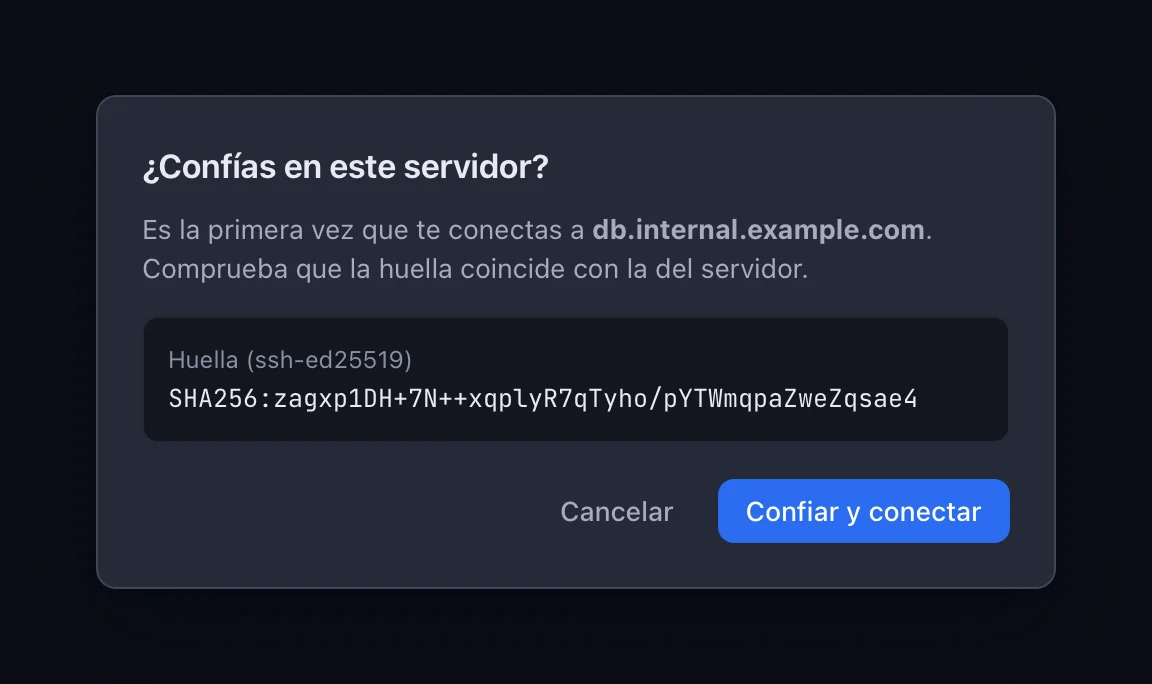
  • Verified fingerprints

    Nodo checks every server’s host key and warns you clearly if it changes.

  • Signed updates

    Every update is signed with Nodo’s own key, and the app verifies the signature before installing it.

Nodo’s prompt when connecting to a server for the first time, showing its SHA-256 fingerprint to verify

What we are building

Not available yet. It will arrive in upcoming releases, delivered by the automatic updater.

  • Encrypted syncEnd to end, and with your own server if you want.
  • AI with your own keyAnthropic, OpenAI or local Ollama. It never runs anything without your confirmation.
  • Team vaultHosts, keys and snippets shared with your team.

Download Nodo

Version 0.2.0, released October 26, 2026. Free, no sign-up.

macOS

Apple Silicon · macOS 11 or later

First launch

Open the .dmg and drag Nodo to Applications. Nodo is not notarized by Apple yet: the first time, open System Settings → Privacy & Security and click “Open Anyway”.

Windows

Windows 10 and 11, 64-bit

Coming soon

The Windows installer is on its way.

Questions

Is Nodo free?

Yes. Today you can use every feature without paying or creating an account.

Where are my passwords and keys stored?

In your operating system’s keychain: Keychain on macOS, Credential Manager on Windows and Secret Service (GNOME Keyring or KWallet) on Linux. Hosts and settings live in a local database, with no secrets in it.

Can I bring my hosts?

Yes. Nodo imports your ~/.ssh/config in one click and uses your existing keys, ssh-agent or Pageant.

How does it update?

On its own. Nodo checks for new releases when it opens, downloads them in the background, verifies their signature and asks before restarting.

Why does my system warn me when I open it?

Because the installers don’t carry Apple or Microsoft certificates yet. Updates are signed with Nodo’s own key. The instructions for each platform, in the download section, explain how to open it the first time.

Is the app in English?

Not yet. Nodo’s interface is in Spanish for now.

Is there a mobile app?

Not yet. Nodo is a desktop app for now.

Try it today. It’s free.

Install it in a minute and import your ~/.ssh/config. No account, no card.